Posted by .

I love taking personality quizzes. I know it’s kind of weird, but I sincerely enjoy learning about different personalities as well as my own, especially when it comes to leadership.
(Fun fact for any other obsessive-quiz takers: I am anISFJ in the Myers-Briggs personality test, which is by far my favorite online personality quiz.)
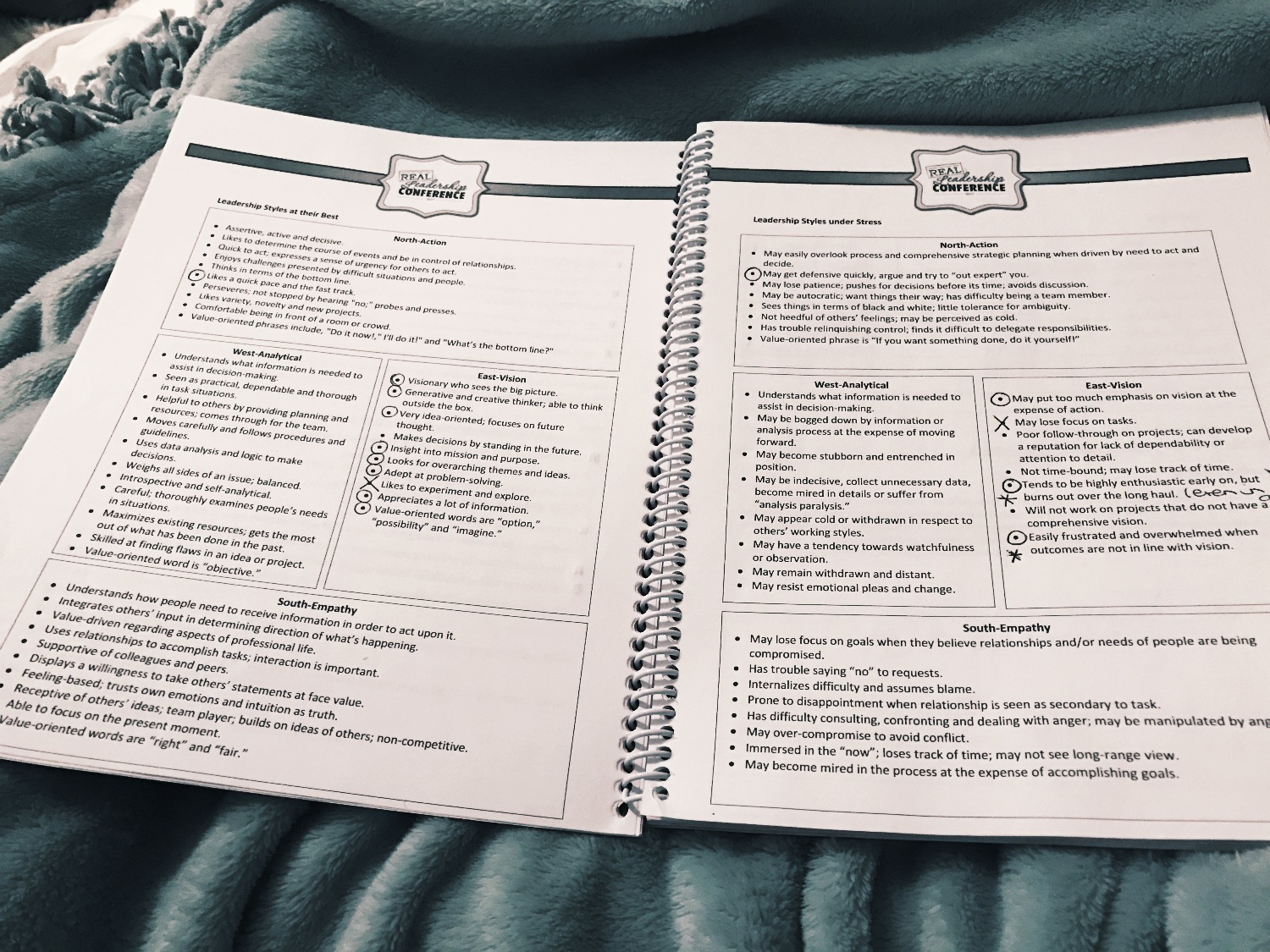
This past weekend I attended a leadership conference in Chicago with my sorority’s executive council. In one of our sessions, we took a quiz to identify our leadership personality. The leadership styles were divided into cardinal directions: North denoted action, East represented vision, West stood for analytical and South was empathy.
27ba13_a1b62e3ec4ea4d209e3cbfa52a85d212~

I fall into the East category, which means I am vision-oriented. I love to dream big and brainstorm and create a vision for the future. I definitely experienced the “this is so me”moment after I got my results. I mean, it is getting a bit ridiculous how many times I say, “We just need our members to catch the vision of…” or “I’m envisioning…” in my executive council meetings. I can’t deny my obsession with vision.
I truly believe in the power of believing in something greater, striving towards a vision, pushing on towards bigger and better things.
One of the drawbacks of my personality type is dealing with reality when it falls short of my vision. Another is becoming easily frustrated when things don’t pan out they way I envisioned them to…and let me tell you, I have a vision for many things. I have a vision for how conflict should be handled, how people should treat one another, how leaders should lead, how events should be planned, etcetera etcetera.
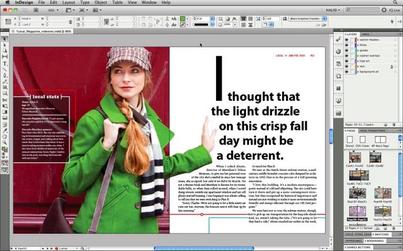
And oh my lanta, did I run into this issue head-on when working with InDesign this week.
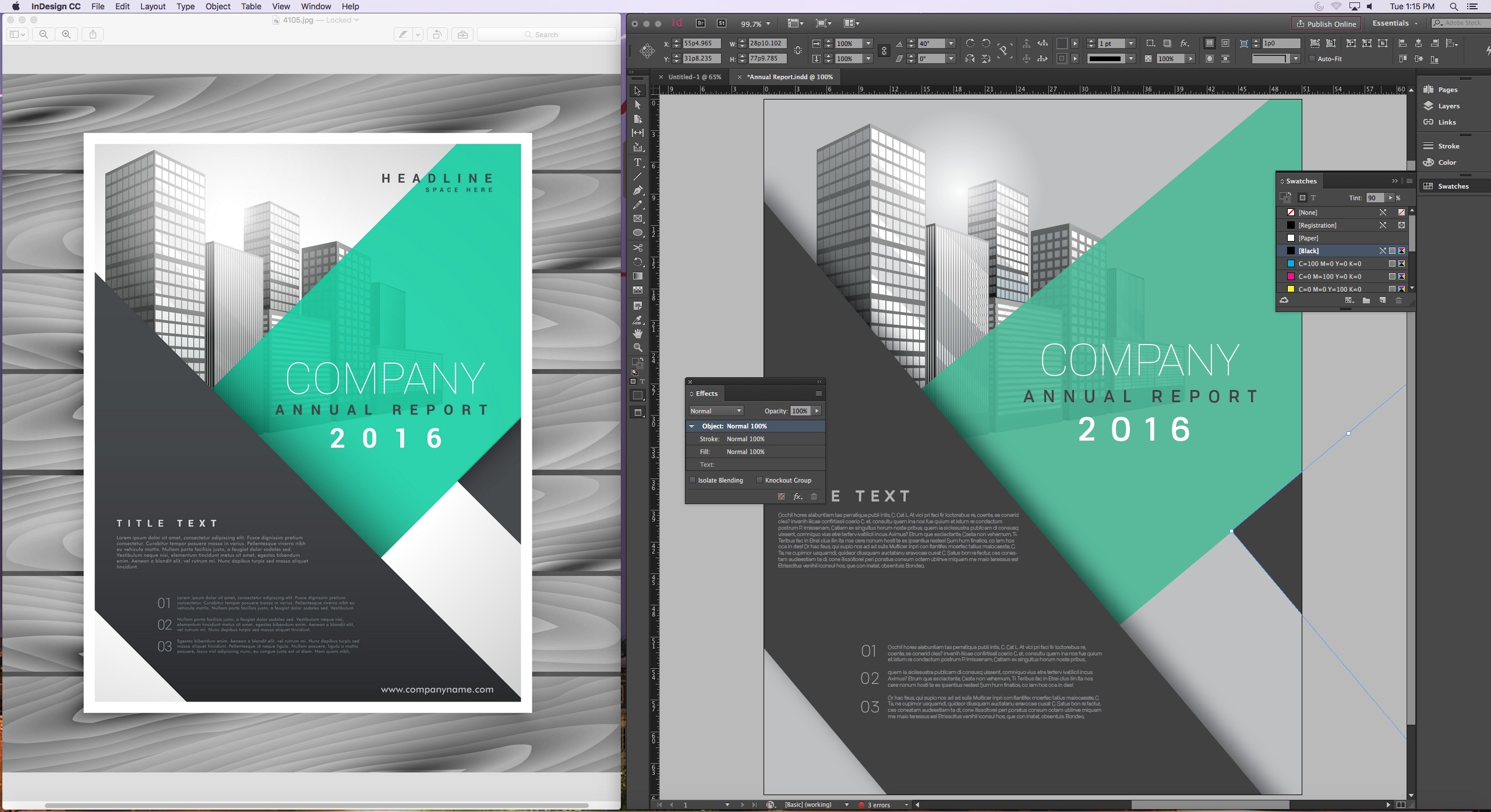
There was a perfect vision for what my design should look like provided to me in the form of an annual report cover I had the task of mimicking. I didn’t even have to create the design, I just had to copy it.
I started clicking away in InDesign, trying to match my work to the model. I couldn’t seem to match colors or angles or font sizes just right, now matter how much I tried. Being the perfectionist I am, it started to bother me more and more as I went along.
27ba13_260ed45429c346ee8310ba2518396380~

The computer mouse caught the brunt of my anger. I clicked more aggressively as the minutes melted away and my laser-focus grew stronger. The closer I got to having a finished product, the more I realized how many mistakes I’d made. My background was too grey and my shapes weren’t the right size, my text wasn’t aligned correctly… needless to say, this visionary greatly missed her vision.
I sat back in my chair, frustrated, as my professor congratulated us on finishing our first-ever date with InDesign. “It’s like going to the gym, it’s going to take some practice,” he said.
I pushed from my desk and took one more look at my assignment. Yes, it fell short of the expectations I set for myself, but then it hit me: what if I set the wrong expectation?
Instead of expecting my assignment to look perfect after my first ever rendezvous with InDesign, maybe I should have focused on eagerly learning my way around the program. Maybe the assignment had very little to do with the aesthetic, and more to do with the process.
All of this to say, while I was quite frustrated with my “failed” vision, the reality of the situation had very little to do with my original vision at all. It had everything to do with learning the program. And if this is the standard by which my vision should be set, I have to say, I left the class period with a better understanding of the program than when I entered.
For now, it may be ok for this visionary to focus on learning the program rather than perfecting the product. Baby steps. And just a little refocusing of the vision.
Posted by .

If you know me at all, you know that I am a perfectionist. I like to get things right on the first try, and I automatically feel like a failure if I cannot figure something out. I am literally a real life Blair Waldorf from “Gossip Girl” when I am frustrated (well maybe not as […]

Posted by .

​Wikipedia defined Adobe InDesign as publishing software produced by Adobe systems that can create works such as posters, flyers, brochures, magazines, newspapers, books, etc. Well… let me just say trying to figure out InDesign in class was the most rewarding and stressful experience I have had all week. When I say rewarding I mean I am actually proud that I learned how to make a rectangle and fill it in. I basically am an InDesign pro now…NOT! Let me just visually describe the emotions going on all around me while trying to follow our teacher in creating a freaking rectangle.

​Brittany on my right got so lost and stressed with keeping up that she actually raised her hand and asked where the desktop was. This describes her InDesign experience. 
​Rachel on my left was sitting there smug acting like she knew everything but really it was the calm before the storm. At the end she realized she missed making a sun and coloring a rectangle. Things clearly were moving fast!
09ca24e8538ab415802c8ab9270484cae6f4cc9e
imgres_2.jpg

               Before

                  After

​Sierra next to Rachel was absolutely hilarious. All you could hear was huffing and puffing before she blurted out that she never wanted to do this again. Sadly she has to compete a full semester of working with this lovely software. 
imgres_3.jpg
url.jpg

​As for me, I couldn’t really find a specific meme to describe my emotions but this will work! I had InDesign in the bag. Okay not really but I’d like to think I managed pretty well. I enjoyed learning how to use the software and am so sorry that unfortunately I think our teacher was running to the bar after teaching our class. We were so dysfunctional and had the silliest of questions but what are you going to do when messing with a foreign software! 

Once we returned to class Thursday, after getting a day to recover from the brain overload of InDesign, I think we handled practicing making a Newsletter pretty well. Thursday’s class was very much individual playing around on our own with the software and making our own minor mistakes. But don’t worry there were still mental meltdowns from Brittany, huffing and puffing from Sierra and Rachel and I dying laughing at everyone’s frustrations. I think this class is going to be enjoyable to say the least. If anything we are going to walk away with InDesign experience under our belt and knowing for a fact we chose right when not majoring in graphic design.
 
Stay tuned for more PR Pubs blogs and keep up to date with what we are doing in class by following my website!
 
Always with Love,
                  Heather Gilbert 

Posted by .

PictureAn example of what you can do in Adobe In Design. From: http://getintopc.com/softwares/graphic-design/adobe-indesign-cc-9-2-free-download/

This past week was exciting yet overwhelming at the same time. On Tuesday, Croom told us step by step how to recreate a design using Adobe In Design. We had a crash course in everything Adobe In Design in the span of a single class. Adobe In Design was confusing, to say the least, and the last time I ever used an Adobe Program was middle school. It was a reawakening for sure, but I really enjoyed it. There were so many tools to pick from, and I forgot I had to keep choosing the selector tool after finishing with a particular tool, so I was a little slow at the start. I was a deer in headlights for the majority of the class, but all in all my finished design looked pretty similar to what I was supposed to be mimicking. I left class feeling proud of myself for pushing through but mentally I was exhausted and relieved that was my last class of the day. 

On Thursday I came back hoping the day would be a little easier. Thankfully, it was and on the agenda for the day was to learn to work with columns in Adobe In Design. Croom showed us on the big screen how columns worked and how to create a layout for a newsletter or something similar to that. Then for the remainder of class, I was supposed to mimic a newsletter design given to me. There was a guide to what type of font to use and what size font but the rest was up to us. Thursday went by much smoother since I had finally begun to grasp how to use the Adobe program. Within 30 minutes my design was coming together and looking like it belonged with the rest of the newsletter. I had a few hiccups with how to properly align everything, but by the end of class, I finally started feeling comfortable with Adobe In Design. Croom instructed us at the end of class with some homework for the upcoming weekend. First, find a brand or company and do some research on it. Second, create a Pinterest board for competitor analysis and then a mood board for the brand/company. This information is going to be used for our first ever solo design project, creating a business card. I am excited to jump in next week on my own and see if I can create a business card worth using!
Till next week, 
Amanda 


Picture
A photo of me from middle school to help you understand how long ago I used Adobe until this past week. (lol)

Posted by .

It’s pretty safe to say that most people think they understand the English language and its nuances. We all passed Language Arts in elementary school. We all passed that evil, eighth grade English class. We all passed senior year English literature. We learned how to write properly during that time frame, right? Hopefully. Did all of those writing tips stick around afterwards? Debatable.There are a few grammar necessities that may have been left along the way: writing with clarity, reducing

Posted by .

Week 3     This week in class we jumped on the computers and dove into InDesign. On Tuesday we created a cover letter for an annual report. Each step is crucial to making the final piece. I never noticed[…]

Posted by .

Writing with clarity means that the meaning of the sentence is clear to the reader and there is no confusion and the sentence is arranged logically.
Bad: She drove back to Tulsa in her car from Norman.
Good: She drove back to Tulsa from Norman in her car. 
Reducing clutter means there are no unnecessary words or phrases in the sentences. 
Bad: All four of the students turned in their papers late.
Good: All of the students turned in their papers late.
Sentence variety means the sentence isn’t monotonous and using a variety of sentence structure. 
Bad: Dr. Thompson will sit on the board of directors for American Airlines. The professor is a former American Airlines employee.
Good: Dr. Thompson, a former American Airlines employee, will sit on the company’s board of directors. 
Sentence emphasis means stressing certain words or phrases based on the importance of them.
Bad: Attorney General Michael Thompson said the serial killer was apprehended after a long police chase Tuesday night.
Good: The serial killer was apprehended after a police chase Tuesday night, the attorney general said. 

Posted by .

This week in my PR Publications class, I had a striking revelation: I am not good with Photoshop. I don’t know why I thought that all the “experience” and “expertise” I had gained from working with Adobe software in middle school yearbook would benefit me whatsoever in a college course, but its safe to say […]

Posted by .

Greetings, earthlings! This post will help out some of my fellow PR majors with some important fundamentals we face when writing. Writing with Clarity Poor: Bobby cooked a meal for the cat of shrimp. Better: Bobby cooked a meal of shrimp for the cat. Reducing Clutter Poor: All of the invited guests sat down at […]