

Reflection
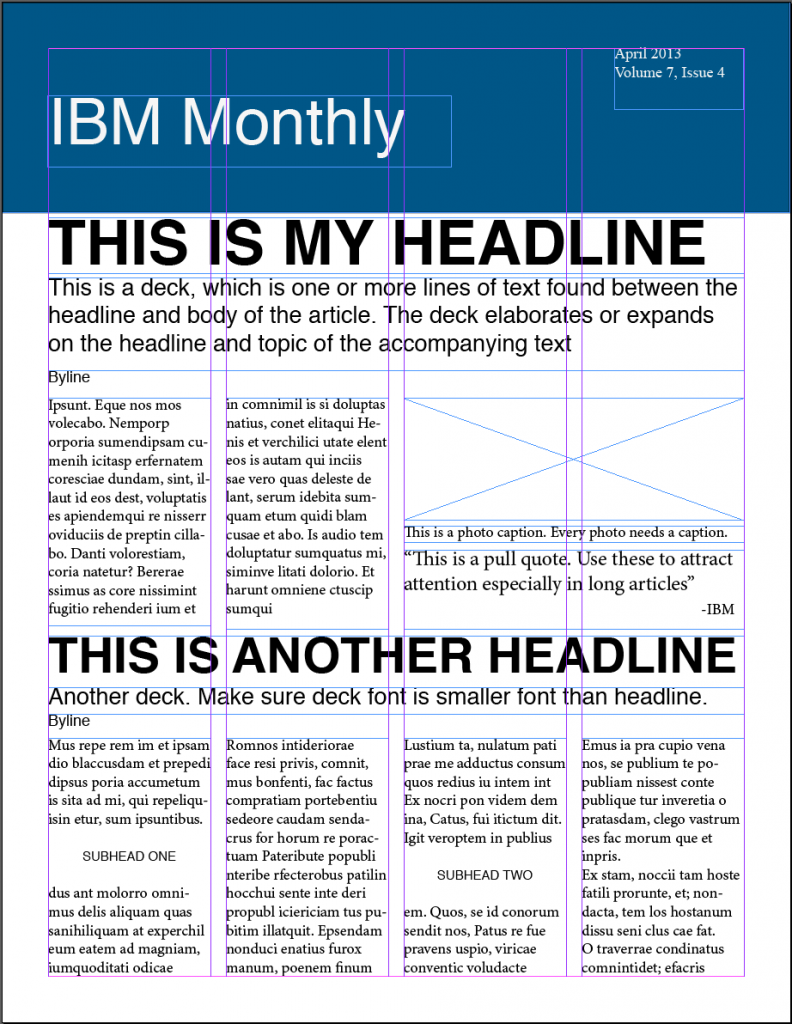
This week in my Public Relations Publications class, we took it back to InDesign, which is the first program we used in this class. I feel that out of the variety of programs we’ve used in this class, InDesign is the one that I feel most comfortable with, so I was happy to get the chance to use InDesign for another project. We began working on a Newsletter for a Fortune 500 company. I chose to create my newsletter for IBM and named my newsletter “IBM Weekly.”
I was excited to work with InDesign again for this project and hoped that I didn’t come across many issues when beginning this project, since I felt that I was pretty familiar with InDesign at this point. We had created a similar one page, three-column newsletter at the beginning of the semester, so I felt that I would be able to successfully begin this project.
After creating my document in InDesign, I came to realize that I had forgotten a few things about InDesign. The video that was provided from earlier in the semester about creating a newsletter was super helpful in refreshing my memory when it came to this project, but overall I felt that I reacted to the start of my newsletter in a calm and productive way.
I think that I was able to complete my newsletter draft in the way that I did because I was previously familiar with InDesign, and we were also provided with tools that made sure we were fully aware of how to use InDesign when creating a newsletter.
I believe that it is very vital to create a dummy layout before getting started on the actual newsletter in order to know where everything will go and what is needed on each page of the newsletter. I now know how much space I have for articles, pictures, headlines, decks, etc. I found that creating a dummy layout will definitely help me in the long run of this project.


Comments