

Social Media Content Reflection
CREATING SOCIAL MEDIA CONTENT
After learning Photoshop and InDesign, my public relations publications class continues to move along. Now that we have learned the most useful tools for creative content, we were ready to utilize that knowledge and think about deadlines.
Often times, as public relations professionals we do not have time to use all of the wonderful things Photoshop and InDesign offer because we need to create content fast and on the spot, especially with social media and event announcement (weather they are internal or external communication). Because of this, the class was introduced to a great tool: canvas.com
This is an amazing tool for fast and easy yet eye-appealing content. It has countless of free layout to make a fast design without sacrificing the design elements of it. I has a great time exploring and looking at the various uses of it. Perhaps, one of my favorite parts is that it has already the various layout to best fit each social media.
Canva is a great tool because it is easy to manage and there are countless layouts. Apps like Canva provide a user-friendly tool where the inexperienced professional can create a meaningful project.
However, I did find some problems such as resizing a text layout. I wanted to use a thinner version but I couldn’t in some layouts. This is something I could have easily done in the other programs.
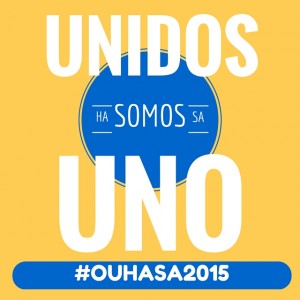
Here are my finished pieces:


Over all, I liked experiencing this new program. I will more than likely be using it more in that future.


Comments